

Published: November 10, 2026 · Muhammad Azam · 17 min read
Last updated: November 10, 2026
Quick Answer
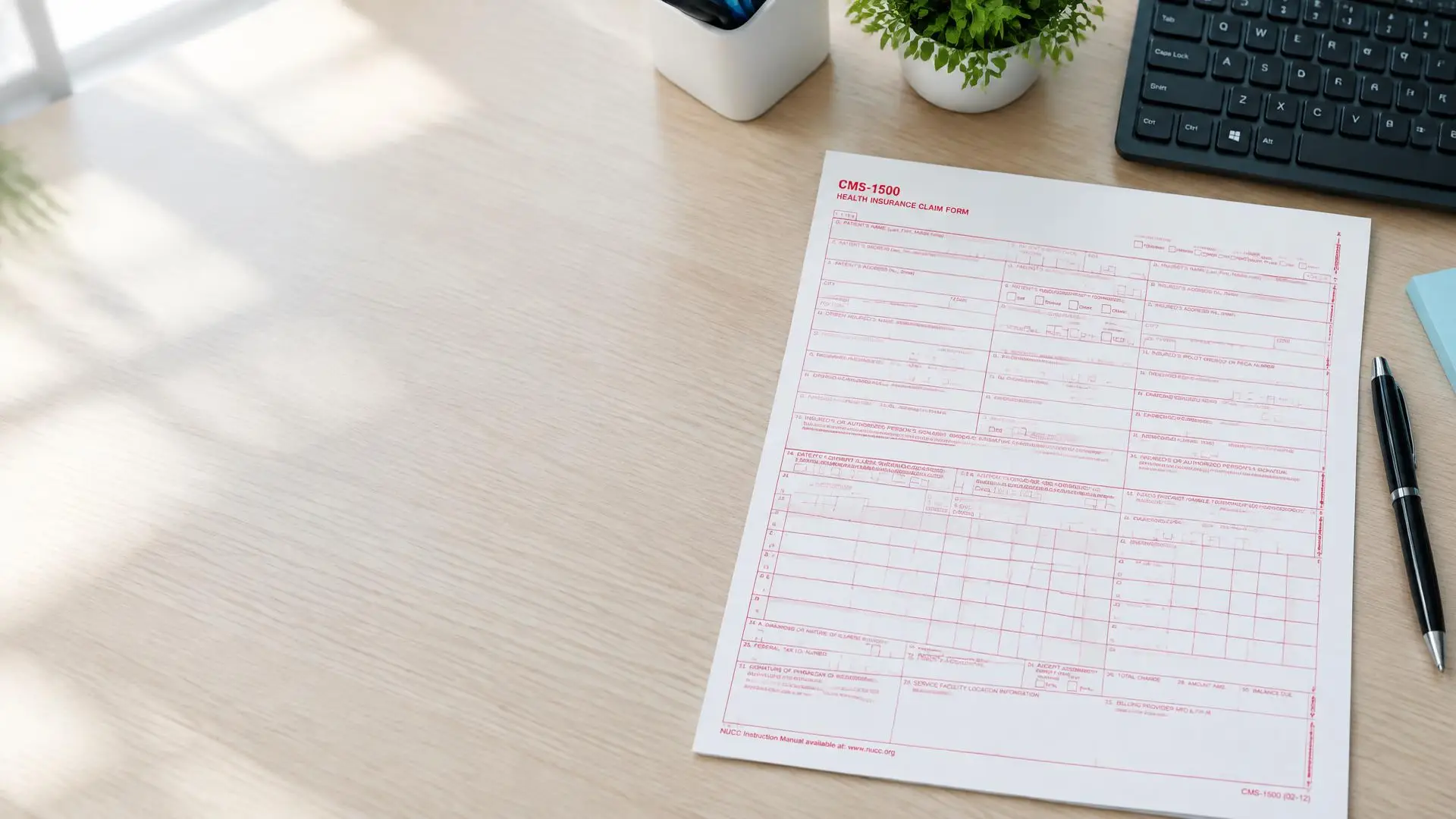
The CMS-1500 is the paper claim form for professional services. Follow the NUCC box instructions, then check Medicare, Medi-Cal or workers compensation requirements for the payer receiving the claim.
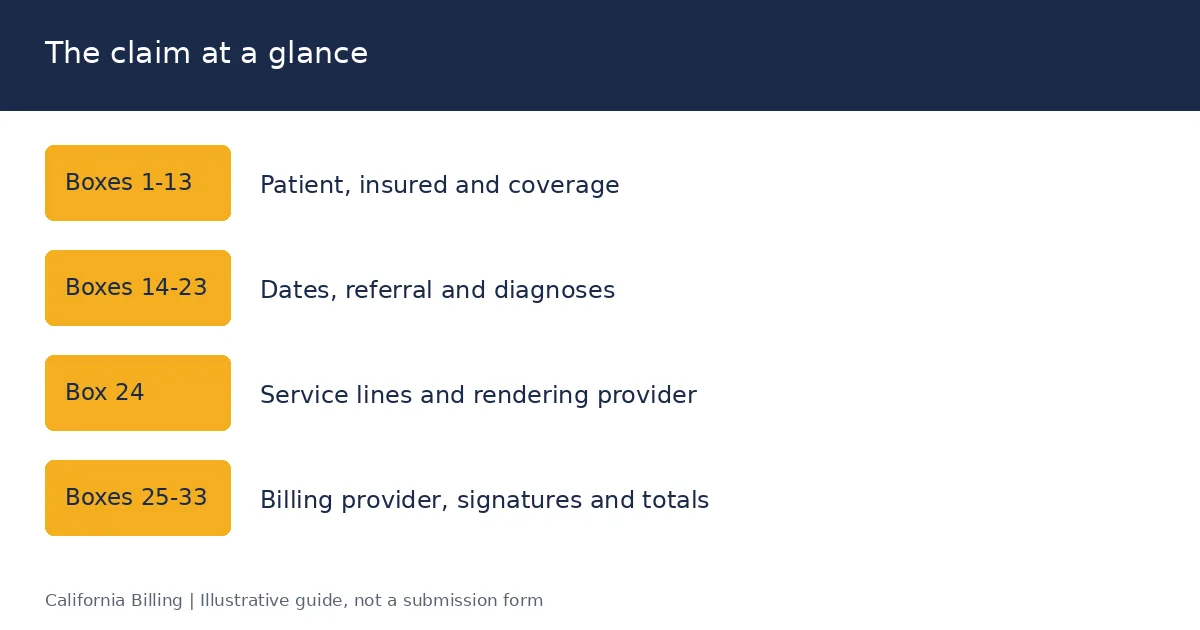
The form has 33 numbered boxes. Boxes 1-13 describe the patient and insured, Boxes 14-33 describe the provider and services. Every payer starts from the NUCC instructions, but Medicare, Medi-Cal and California workers' comp each change a handful of boxes. Those differences cause most paper claim rejections in California.
This guide explains every box in order, then the California payer rules, the printing requirements and the errors that trigger denials. It is part of our California medical billing guide.
Key Takeaways
- CMS-1500 is for paper professional claims; 837P carries professional claims electronically.
- Patient coverage, diagnoses, services and provider identifiers must agree.
- Check Medicare, Medi-Cal and workers' compensation rules before sending a claim.
- Use original red-ink forms and check printed alignment.
CMS-1500 vs 837P vs UB-04: which form do you need?
The CMS-1500 is the standard paper claim form that physicians, non-physician practitioners and suppliers use to bill health insurers for professional services. Its official name is the 1500 Health Insurance Claim Form, the current version is 02/12 (OMB 0938-1197), and its box-by-box rules are set by the National Uniform Claim Committee (NUCC) in the 1500 Reference Instruction Manual, now at Version 13.0, effective July 1, 2025 (NUCC).
Use the CMS-1500 for professional services on paper, the 837P for the same services electronically, and the UB-04 (CMS-1450) for institutional services from hospitals and facilities. The CMS-1500 was called the HCFA-1500 until the Health Care Financing Administration was renamed CMS in 2001, which is why billers still say "HCFA."
| CMS-1500 | 837P | UB-04 (CMS-1450) | |
|---|---|---|---|
| Format | Paper, red-ink form | ASC X12 electronic transaction | Paper or 837I electronic Source |
| Used by | Physicians, NPPs, therapists, labs, DME suppliers, ambulance | Same as CMS-1500 | Hospitals, SNFs, home health, hospice, ASCs (some payers) Source |
| Instructions maintained by | NUCC | ASC X12 implementation guide | National Uniform Billing Committee (NUBC) Source |
| Diagnosis codes allowed | 12 (A-L) | 12 | Up to 25 Source |
| Service lines per claim | 6 | Up to 50 | 22 per page Source |
Do you still need the paper form?
Most California claims go electronically as 837P, which carries the same data as the CMS-1500. The NUCC publishes a 1500-to-837P crosswalk so each box maps to an 837P loop and segment (NUCC FAQ). Under the Administrative Simplification Compliance Act (ASCA), Medicare requires electronic claims unless a provider qualifies for an exception such as the small-provider waiver.
The CMS-1500 still matters for three reasons: some payers, workers' comp carriers and secondary claims still take paper; practice management software builds the 837P from the same fields; and denial messages often reference box numbers. Learning the boxes is learning the claim.
How is the CMS-1500 laid out?
The CMS-1500 has three areas: a carrier block at the top, the patient and insured information section (Boxes 1-13), and the physician or supplier information section (Boxes 14-33). Box 24 holds up to six service lines, each with a shaded upper half for supplemental data.
| Area | Boxes | What it answers |
|---|---|---|
| Carrier block | Top right; top margin left blank | Which payer and address receive the claim Source |
| Patient and insured | 1-13 | Who is covered, by which plan, and whether other coverage or an accident applies Source |
| Claim details | 14-23 | When the condition started, who referred, which diagnoses, which authorization Source |
| Service lines | 24A-24J | What was done, when, where, for how much, and by whom Source |
| Provider and totals | 25-33 | Who bills, where the service happened, and the claim total Source |
Three NUCC conventions apply across the whole form (NUCC manual):
- Dates use 8 digits (MM DD YYYY) in birth-date boxes and 6 or 8 digits elsewhere, without slashes.
- Names go last name, first name, middle initial, separated by commas, using only hyphens or apostrophes as punctuation.
- Boxes marked "Reserved for NUCC Use" (8, 9b, 9c, 30) stay blank unless a payer instructs otherwise.
Boxes 1-13: what goes in the patient and insured section?
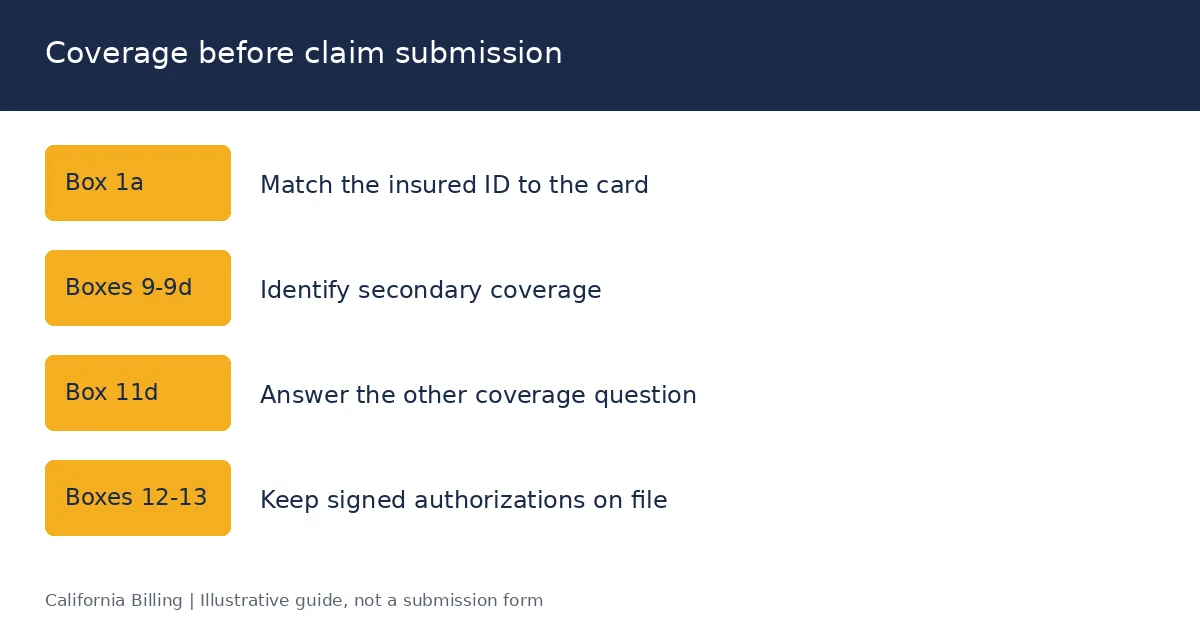
Boxes 1-13 identify the patient, the insured person and every plan that might pay. Copy names and ID numbers exactly as they appear on the insurance card; a single character mismatch in Box 1a is one of the most common rejection causes.
| Box | Field | What to enter |
|---|---|---|
| 1 | Type of coverage | One X: Medicare, Medicaid, TRICARE, CHAMPVA, Group Health Plan, FECA Black Lung or Other Source |
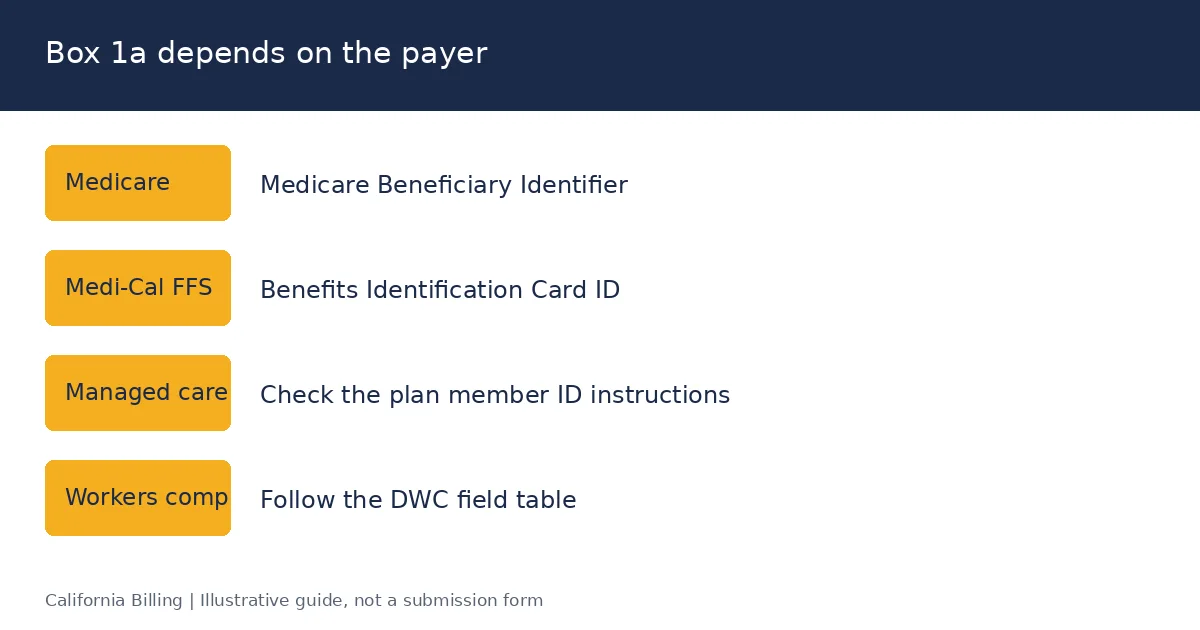
| 1a | Insured's ID number | The ID exactly as on the card: MBI for Medicare, 14-character BIC ID for Medi-Cal, member ID with prefix for commercial plans Source |
| 2 | Patient's name | Last, First, Middle initial, as on the card Source |
| 3 | Patient's birth date and sex | MM DD YYYY and one X for sex Source |
| 4 | Insured's name | The subscriber's name; leave blank or follow payer rules if the patient is the insured Source |
| 5 | Patient's address | Street, city, state, ZIP; phone is optional Source |
| 6 | Patient relationship to insured | Self, Spouse, Child or Other Source |
| 7 | Insured's address | Subscriber's address if different from the patient's Source |
| 8 | Reserved for NUCC use | Leave blank Source |
| 9 | Other insured's name | Name of the subscriber on a secondary plan, if Box 11d is "Yes" Source |
| 9a | Other insured's policy or group number | Secondary plan's policy or group number Source |
| 9b, 9c | Reserved for NUCC use | Leave blank Source |
| 9d | Insurance plan or program name | Secondary plan's name Source |
| 10a-10c | Is the condition related to employment, auto accident or other accident? | Yes or No for each; for auto, add the two-letter state Source |
| 10d | Claim codes | NUCC condition codes when a payer requires them; Medi-Cal uses this box for Share of Cost Source |
| 11 | Insured's policy group or FECA number | Group number; Medicare uses this box for MSP (see section 08) Source |
| 11a | Insured's date of birth and sex | Subscriber's details if different from the patient's Source |
| 11b | Other claim ID | Qualifier Y4 plus the property-casualty or workers' comp claim number Source |
| 11c | Insurance plan or program name | Primary plan's name Source |
| 11d | Is there another health benefit plan? | Yes or No; "Yes" requires Boxes 9, 9a and 9d Source |
| 12 | Patient's signature | "Signature on File" or "SOF" with a signed release kept in your records Source |
| 13 | Insured's signature | "SOF" to authorize payment directly to the provider Source |
Source: NUCC 1500 Reference Instruction Manual v13.0; California payer rules in sections 08-10.
Most Box 1a, 9 and 11 errors start at the front desk. Our eligibility verification process captures primary and secondary coverage before the visit.
Boxes 14-23: what goes in the dates, referral, diagnosis and authorization boxes?
Boxes 14-23 explain why the services happened: when the condition began, who sent the patient, which diagnoses apply and which authorization covers the care. Several of these boxes require a qualifier, a short code that tells the payer what kind of date or provider you entered.
| Box | Field | What to enter |
|---|---|---|
| 14 | Date of current illness, injury or pregnancy | Date plus qualifier 431 (onset of current symptoms or illness) or 484 (last menstrual period) Source |
| 15 | Other date | Date plus a qualifier such as 454 (initial treatment), 304 (latest visit), 453 (acute manifestation), 439 (accident) or 455 (last X-ray) Source |
| 16 | Dates patient unable to work | From and to dates, for disability or workers' comp claims Source |
| 17 | Name of referring provider or other source | Qualifier DN (referring), DK (ordering) or DQ (supervising), then the provider's name Source |
| 17a | Other ID | Payer-required secondary ID with its qualifier (for example, 0B for state license) Source |
| 17b | NPI | The referring, ordering or supervising provider's 10-digit NPI Source |
| 18 | Hospitalization dates | Admission and discharge dates when services relate to an inpatient stay Source |
| 19 | Additional claim information | Payer-specific notes, such as a supervising provider, a homebound indicator or a workers' comp note Source |
| 20 | Outside lab? | Yes with the purchased amount, or No Source |
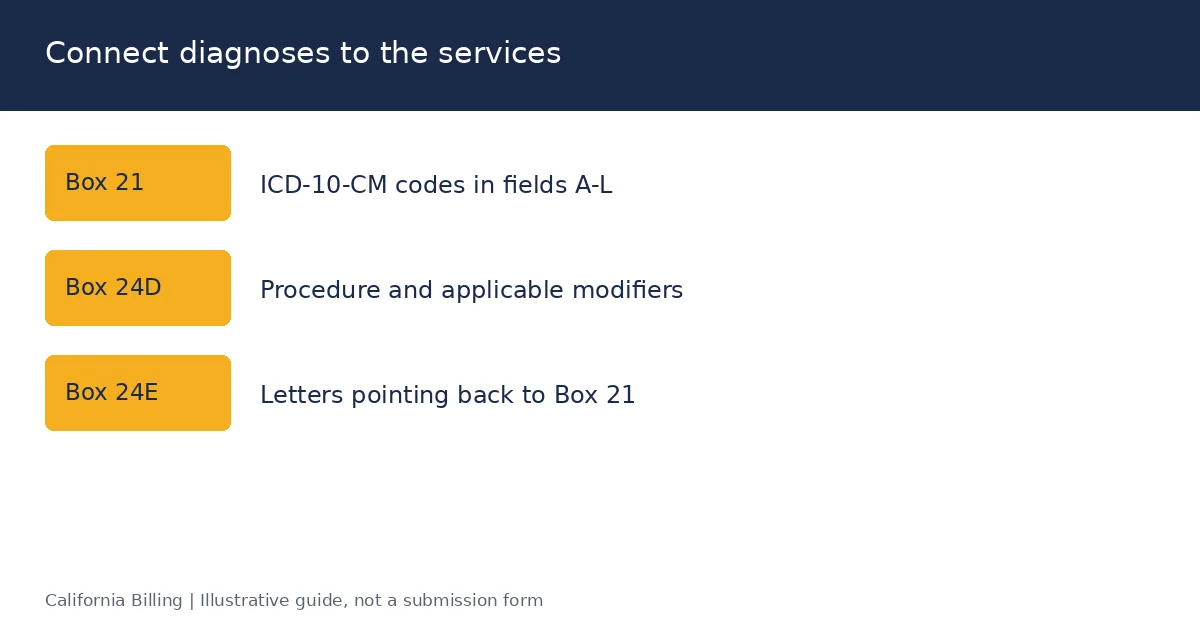
| 21 | Diagnosis codes | ICD indicator 0 for ICD-10-CM, then up to 12 codes in fields A-L, primary first Source |
| 22 | Resubmission code | 7 (replacement) or 8 (void) with the original claim number; blank for an original claim Source |
| 23 | Prior authorization number | The authorization or referral number; some payers also accept a CLIA or mammography certification number here Source |
Box 21 rules that prevent denials
- Code to the highest specificity. Truncated ICD-10-CM codes reject before adjudication.
- Don't enter decimal points in diagnosis codes on paper.
- Up to 12 codes per claim. If more diagnoses are needed for the services billed, split the claim.
- Link every service to a diagnosis through Box 24E, using the letters A-L.
Accurate diagnosis coding and pointers come from the chart, not the form. Our medical coding services review notes before claims go out.
Box 24: how do you fill out the service lines?
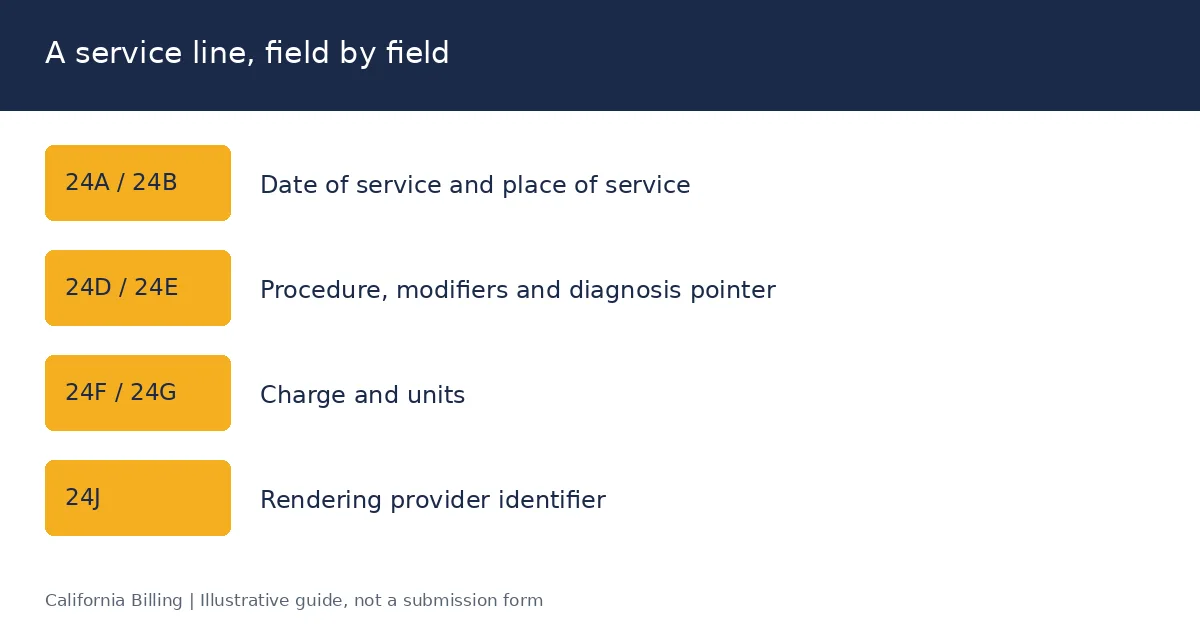
Box 24 lists up to six service lines, one procedure per line. Each line has an unshaded lower half for the main service data and a shaded upper half for supplemental information, such as an NDC for drugs or a rendering provider's secondary ID. If you have more than six services, start a new claim form.
| Box | Field | What to enter |
|---|---|---|
| 24A | Date(s) of service | From and to dates; for one day, enter the same date in both or only "From" per payer rules. Shaded area: supplemental data such as an NDC Source |
| 24B | Place of service | The 2-digit CMS POS code, such as 11 (office), 22 (outpatient hospital), 02 or 10 (telehealth) Source |
| 24C | EMG | Y if the service was an emergency, when the payer requires it; otherwise blank Source |
| 24D | Procedures, services or supplies | CPT or HCPCS code plus up to four modifiers Source |
| 24E | Diagnosis pointer | Letters A-L pointing to Box 21, primary first, up to four per line Source |
| 24F | Charges | Your full charge for the line, without dollar signs Source |
| 24G | Days or units | Number of units; anesthesia minutes if the payer requires them Source |
| 24H | EPSDT / Family plan | Medicaid EPSDT or family planning indicator when applicable Source |
| 24I | ID qualifier (shaded) | Qualifier for the rendering provider's non-NPI ID, such as ZZ for taxonomy Source |
| 24J | Rendering provider ID | Shaded: the non-NPI ID or taxonomy code. Unshaded: the rendering provider's NPI Source |
Reporting drugs: the NDC in the shaded area
For a drug billed with a HCPCS J-code, many payers, including Medi-Cal plans, require the National Drug Code in the shaded area of 24A. Enter the qualifier N4, the 11-digit NDC without hyphens, a unit qualifier (UN, ML, GR or F2) and the quantity. For example: N412345678901 UN2.
Three Box 24 rules that trip up billers
- Diagnosis pointers are letters, not codes. Enter "A" or "AB" in 24E, never the ICD-10 code itself.
- Rendering NPI belongs in 24J only when it differs from the billing provider in Box 33a, for most payers. Solo practitioners billing under their own NPI can leave 24J blank if the payer allows.
- Don't write in the shaded area unless the payer asks for it. Stray text there causes OCR misreads.
Boxes 25-33: what goes in the billing provider section?
Boxes 25-33 identify who is billing, where the service was performed and how much the claim totals. The tax ID in Box 25, the billing NPI in Box 33a and your payer enrollment must all match, or the claim rejects.
| Box | Field | What to enter |
|---|---|---|
| 25 | Federal tax ID number | The billing provider's EIN (or SSN for an individual), with one X for which it is Source |
| 26 | Patient's account number | Your practice's account number for the patient; it comes back on the remittance Source |
| 27 | Accept assignment? | Yes or No; for Medicare, "Yes" means you accept the allowed amount as payment in full Source |
| 28 | Total charge | The sum of all 24F lines on this form Source |
| 29 | Amount paid | Amount already paid on these services by the patient or another payer, per payer rules Source |
| 30 | Reserved for NUCC use | Leave blank Source |
| 31 | Signature of physician or supplier | Signature, "Signature on File" or typed name, plus the date Source |
| 32 | Service facility location | Name and street address where services were performed, if different from Box 33 Source |
| 32a | Service facility NPI | NPI of the facility in Box 32 Source |
| 32b | Other ID | Qualifier and non-NPI ID, if the payer requires it Source |
| 33 | Billing provider info and phone | Billing provider's name, street address, ZIP+4 and phone number Source |
| 33a | Billing provider NPI | Group or individual NPI under which the claim is paid Source |
| 33b | Other ID | Qualifier plus ID, such as ZZ and the taxonomy code, if the payer requires it Source |
Billing provider vs rendering provider
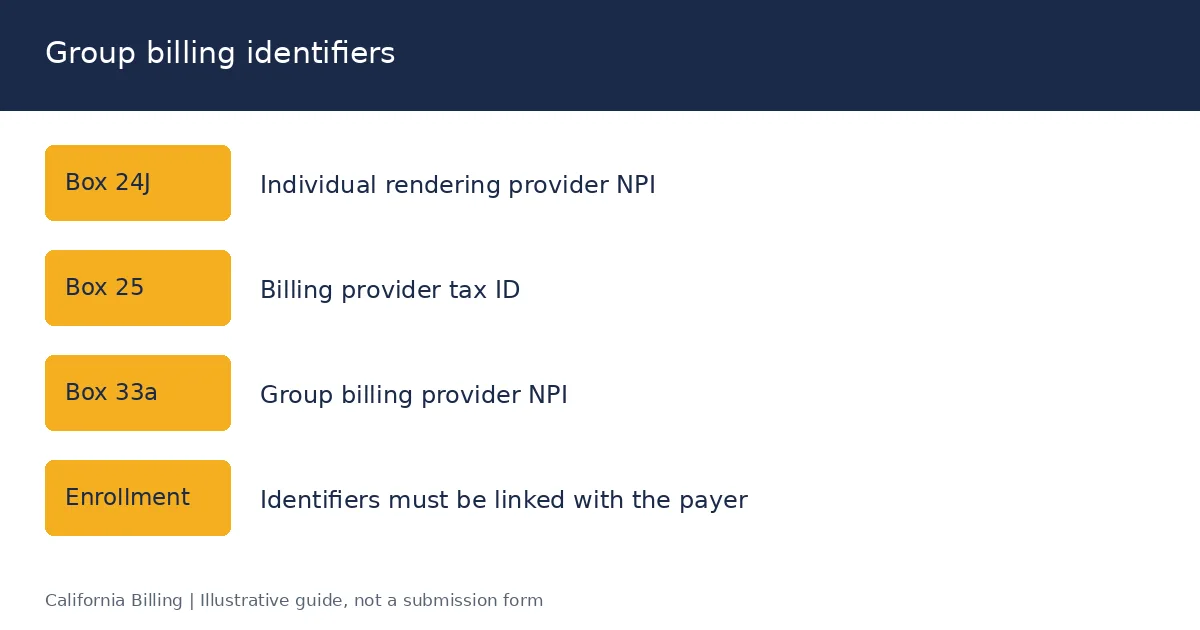
A group practice reports its group NPI in 33a and each clinician's individual NPI in 24J. A solo provider billing under an individual NPI enters it in 33a. Both NPIs must be enrolled and linked with the payer, which is why provider credentialing comes before the first claim.
Use a physical street address in Box 33. Most payers, including Medicare, reject a P.O. box as the billing provider address.
Tired of claims bouncing back over one box?
Book a 20-minute revenue reviewSample completed CMS-1500
This sample shows a commercial PPO claim for an established-patient office visit with a flu shot. All names and numbers are fictitious. Boxes not listed are left blank.
Scenario: Maria L. Garcia, the insured herself, visits Sunset Family Medicine in Pasadena on March 10, 2026 for type 2 diabetes follow-up and receives a flu vaccine. No other coverage, no accident.
| Box | Sample entry |
|---|---|
| 1 | X in Group Health Plan Source |
| 1a | XYZ123456789 Source |
| 2 | GARCIA, MARIA, L Source |
| 3 | 04 12 1978, F Source |
| 4 | GARCIA, MARIA, L Source |
| 5 | 220 OAK ST, PASADENA, CA 91101 Source |
| 6 | Self Source |
| 10a-10c | No, No, No Source |
| 11 | GRP45678 Source |
| 11c | SAMPLE PPO PLAN Source |
| 11d | No Source |
| 12, 13 | SIGNATURE ON FILE Source |
| 21 | ICD indicator 0; A: E119; B: Z23 Source |
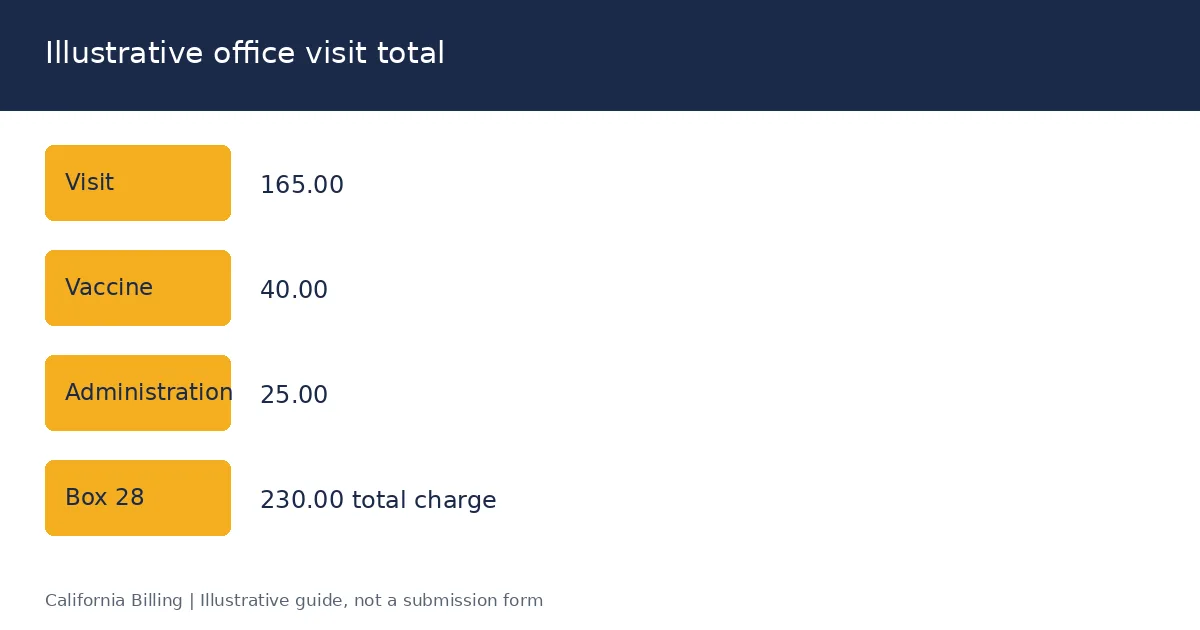
| 24 line 1 | 03 10 26 - 03 10 26 · POS 11 · 99214 · pointer A · 165 00 · 1 unit · NPI 1234567893 Source |
| 24 line 2 | 03 10 26 - 03 10 26 · POS 11 · 90686 · pointer B · 40 00 · 1 unit · NPI 1234567893 Source |
| 24 line 3 | 03 10 26 - 03 10 26 · POS 11 · 90471 · pointer B · 25 00 · 1 unit · NPI 1234567893 Source |
| 25 | 95-1234567, X in EIN Source |
| 26 | GAR0412 Source |
| 27 | Yes Source |
| 28 | 230 00 Source |
| 31 | DR JAMES PARK MD, 03 11 26 Source |
| 33 | SUNSET FAMILY MEDICINE, 100 COLORADO BLVD, PASADENA CA 911011234, (626) 555-0100 Source |
| 33a | 1987654320 (group NPI) Source |
For a Medicare patient, Box 1 changes to Medicare, Box 1a to the MBI, Box 11 to "NONE" when Medicare is primary, and the vaccine administration code to G0008. The next three sections cover the California payer variations.
How do you fill out a CMS-1500 for Medicare in California?
California physicians bill Medicare Part B through Noridian Healthcare Solutions (Jurisdiction E), which follows the Medicare Claims Processing Manual, Chapter 26, rather than the NUCC defaults where the two differ (Noridian JE instructions). Remember that Medicare accepts paper claims only from providers that qualify for an ASCA exception.
| Box | Medicare rule |
|---|---|
| 1a | The patient's Medicare Beneficiary Identifier (MBI), whether Medicare is primary or secondary. An invalid MBI makes the claim unprocessable Source |
| 4 and 7 | Enter "SAME" when the insured is the patient Source |
| 11 | Required. Enter the primary insurer's group number if Medicare is secondary, or "NONE" if no insurance is primary to Medicare. Leaving it blank rejects the claim Source |
| 11a-11c | Complete only when another plan is primary to Medicare Source |
| 13 | "SOF" if a signed authorization is on file Source |
| 17, 17b | Referring or ordering provider's name with qualifier and NPI for services that require one, such as lab, imaging and DME Source |
| 24J | Rendering provider's NPI when billing under a group Source |
| 27 | "Yes" for participating providers; required for certain services regardless of status Source |
| 32, 32a | Service location and NPI when services were performed somewhere other than the billing address Source |
For Medicare Advantage plans, follow the MA plan's own instructions; they usually use the plan member ID in Box 1a, not the MBI. Capitated MA claims may go to an IPA; see our IPA and DOFR billing guide.
How do you fill out a CMS-1500 for Medi-Cal?
Medi-Cal fee-for-service follows the NUCC form with California-specific rules published in the Medi-Cal Provider Manual's CMS-1500 completion sections. Medi-Cal managed care plans publish their own instructions, which can differ again.
Medi-Cal fee-for-service
| Box | Medi-Cal rule |
|---|---|
| 1a | The recipient's 14-digit ID exactly as on the Benefits Identification Card (BIC) or paper Medi-Cal ID card Source |
| 2 and 3 | For an infant billed under the mother's ID, follow the newborn instructions in the provider manual Source |
| 8 | Not required Source |
| 10a-10c | If either accident box is "Yes," enter the accident date in Box 14 Source |
| 10d | The patient's Share of Cost amount for the service, when one applies Source |
| All boxes | No punctuation or symbols ($, %, &, /) except where the form requires them Source |
Source: Medi-Cal provider training workbooks. Specialty-specific completion sections (vision, medical services, allied health) sit in Part 2 of the Medi-Cal Provider Manual.
Medi-Cal managed care plans
Plans set their own Box 1a rule, so check the member ID card and the plan's instructions:
- San Francisco Health Plan requires its own 11-digit member ID and rejects the SSN or CIN in Box 1a (SFHP instructions).
- Contra Costa Health Plan accepts the Medi-Cal CIN or its own member ID (CCHP instructions).
- Health Net lists missing or invalid Box 1a IDs and missing NPIs in Boxes 24J and 33a among its paper claim rejection reasons (Health Net claims guide).
Our Medi-Cal billing guide covers Share of Cost, TARs and the month-of-service filing deadline that applies to these claims.
How do you fill out a CMS-1500 for California workers' comp?
California workers' comp professional bills use the CMS-1500, completed under the DWC Medical Billing and Payment Guide adopted by 8 CCR §9792.5.1 and §9792.5.2 (DWC billing rules). The guide's field table changes several boxes from the NUCC defaults.
| Box | California workers' comp rule |
|---|---|
| 1 | Check "Other" for workers' compensation Source |
| 1a | The injured worker's Social Security number, per the DWC field table Source |
| 4 | The employer's name as the insured Source |
| 10a | Yes (condition related to employment) Source |
| 10d | Condition code BGW3 when requesting a second review of a bill Source |
| 11b | Qualifier Y4 plus the workers' comp claim number assigned by the claims administrator Source |
| 14 | Date of injury Source |
| 22 | Resubmission code 7 with the original bill's reference number on a second review or corrected bill Source |
Sources: DWC Medical Billing and Payment Guide; daisyBill summaries of the Box 1a and 11b rules and second review coding.
A complete California comp bill also needs the required supporting documentation, such as the PTP's initial report or progress report, attached to the CMS-1500. Without it the claims administrator can treat the bill as incomplete. See our workers' compensation billing page for OMFS coding and lien rules.
What are the CMS-1500 printing requirements?
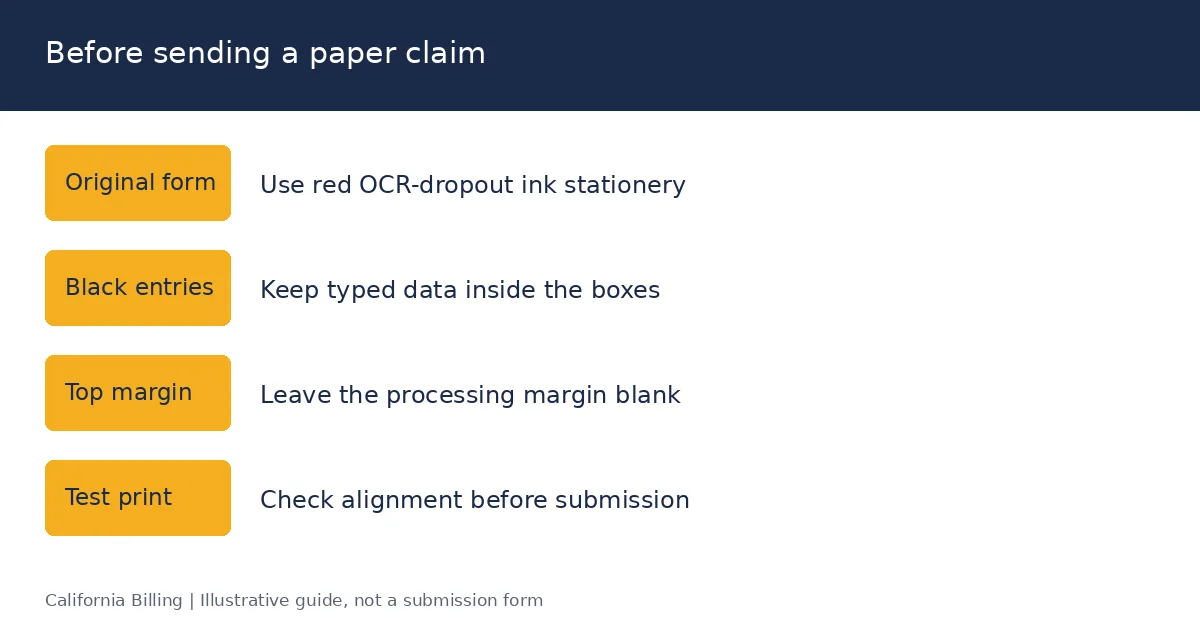
A paper CMS-1500 must be the original red-ink (OCR dropout ink) form, because payers scan claims with optical character recognition that ignores the red form and reads only your black entries. Photocopies, black-and-white printouts and downloaded PDFs printed on plain paper are rejected as unprocessable. CMS does not supply the forms; buy them from the U.S. Government Publishing Office, office supply vendors or printers that meet CMS specifications. CMS's sample form is for reference only and can't be printed and submitted.
Entry rules that keep the scanner reading correctly:
- Print or type in black ink, in uppercase, using a 10- or 12-point font such as Courier.
- Keep entries inside each box; don't let text touch the box lines.
- Leave the top one-inch margin blank; it's reserved for the payer's processing data.
- Don't use highlighters, correction fluid, stamps or handwriting in data fields.
- Don't staple attachments to the claim; clip them or send them by fax or portal as the payer instructs.
- Use one claim form per patient, and a new form after six service lines.
If you print claims from practice management software, test-print on a blank red form first and adjust alignment. Misaligned print that crosses box lines is a common reason for scanner rejections.
What are the most common CMS-1500 errors?
Most CMS-1500 rejections come from a handful of boxes: patient identity (1a-3), other coverage (9-11d), diagnosis and pointers (21, 24E) and provider identifiers (24J, 25, 33a). Each maps to a predictable denial or rejection reason.
| Error | Box | Typical result |
|---|---|---|
| ID number doesn't match the card, or uses an SSN where the plan forbids it | 1a | Rejection; CARC 31 (patient cannot be identified as our insured) Source |
| Name or birth date differs from the payer's file | 2, 3 | Rejection or CARC 31 Source |
| Other coverage left blank or Box 11 empty on a Medicare claim | 9-11d | Rejection, or CARC 22 (may be covered by another payer) Source |
| Accident boxes not answered | 10a-10c | Development letter; payment delay Source |
| Missing qualifier on a date or referring provider | 14, 15, 17 | Rejection for missing information (CARC 16) Source |
| Unspecified or truncated ICD-10-CM code | 21 | CARC 11 or 16 Source |
| Pointer entered as an ICD-10 code instead of a letter | 24E | Rejection Source |
| Missing or invalid modifier | 24D | CARC 4 (procedure code inconsistent with modifier) Source |
| Rendering NPI not enrolled or linked to the group | 24J | Rejection; RARC N290 (missing or invalid rendering provider) Source |
| Tax ID and billing NPI don't match enrollment | 25, 33a | Rejection Source |
| Corrected claim without code 7 and the original claim number | 22 | Duplicate denial (CARC 18) Source |
| Photocopied or black-and-white form | Whole form | Returned unprocessed Source |
A 60-second pre-submission check
Before a claim leaves the office, confirm: 1a matches the card; 11 or 11d is answered; every 24D line has a pointer in 24E; 24F lines add up to Box 28; and 24J, 25 and 33a match your enrollment.
If the same rejections keep returning, the fix sits upstream at registration or coding. Our denial management team traces each rejection to the box and the workflow step that caused it. For claims denied after a filing deadline, see California timely filing limits by payer.
Sources
Consult the current official instructions and the payer-specific references linked in this guide.
Frequently asked questions about the CMS-1500
Version 02/12 (OMB 0938-1197). The NUCC's instruction manual for it is Version 13.0, effective July 1, 2025.
Can't find what you're looking for? Contact our billing specialists